Activity 21: Research Python
Brief History of Python
Python is a high-level, interpreted programming language that was created by Guido van Rossum in the late 1980s. Its development began in December 1989, when van Rossum, working at the Centrum Wiskunde & Informatica (CWI) in the Netherlands, set out to create a language that would be a successor to the ABC programming language. Python was officially released in February 1991 as Python 0.9.0, which already featured important components such as exception handling, functions, and the core data types (like lists and strings).
Key Milestones in Python's History:
1991: Python 0.9.0 is released.
2000: Python 2.0 is released. This version introduced list comprehensions and garbage collection, among other important features. Python 2 continued to evolve with versions like 2.1, 2.2, etc., until it reached Python 2.7, the last version of the Python 2.x series.
2008: Python 3.0 is released, marking a major milestone in the language's development. Python 3 introduced several backward-incompatible changes, making it more consistent and clean, but also breaking compatibility with Python 2.x code.
2020: Python 2 reached its official end of life on January 1, 2020, after years of overlap with Python 3.x.
Present: Python is one of the most popular programming languages, widely used in web development, data science, artificial intelligence, automation, and more.
Python's ability to simplify complex programming concepts while maintaining power and flexibility has contributed to its rapid growth and adoption.
Advantages of Python
Python is known for several advantages that make it a preferred choice for developers and beginners alike:
Ease of Use: Python has a clean and easy-to-read syntax, which is simple for beginners to learn and for experienced developers to use. Its use of indentation instead of braces or keywords for code blocks makes it especially readable.
Readability: Python's emphasis on readability promotes writing clean and maintainable code. This is one of the reasons it's often recommended for beginners.
Large Community and Libraries: Python has a massive community of developers and a wealth of open-source libraries and frameworks. This makes it easy to find resources, tutorials, and solutions to problems. Popular libraries include NumPy (for numerical computations), Pandas (for data analysis), TensorFlow (for machine learning), and Django (for web development).
Cross-platform Support: Python is cross-platform, meaning that Python code can run on a variety of operating systems without modification, including Windows, macOS, and Linux.
Versatility: Python is highly versatile and can be used for a wide range of applications, such as:
Web Development: Frameworks like Django and Flask enable rapid development of web applications.
Data Science and Machine Learning: Python is the go-to language for data analysis, visualization, and machine learning, with libraries like Pandas, Matplotlib, Seaborn, Scikit-learn, and TensorFlow.
Automation/Scripting: Python is excellent for writing scripts to automate repetitive tasks, from file manipulation to web scraping.
Artificial Intelligence (AI): Python is a dominant language in AI development, offering extensive libraries for deep learning and natural language processing.
Integration with Other Languages: Python can integrate well with other languages like C, C++, and Java, making it suitable for high-performance applications.
Try Basic Commands on Your Own Machine
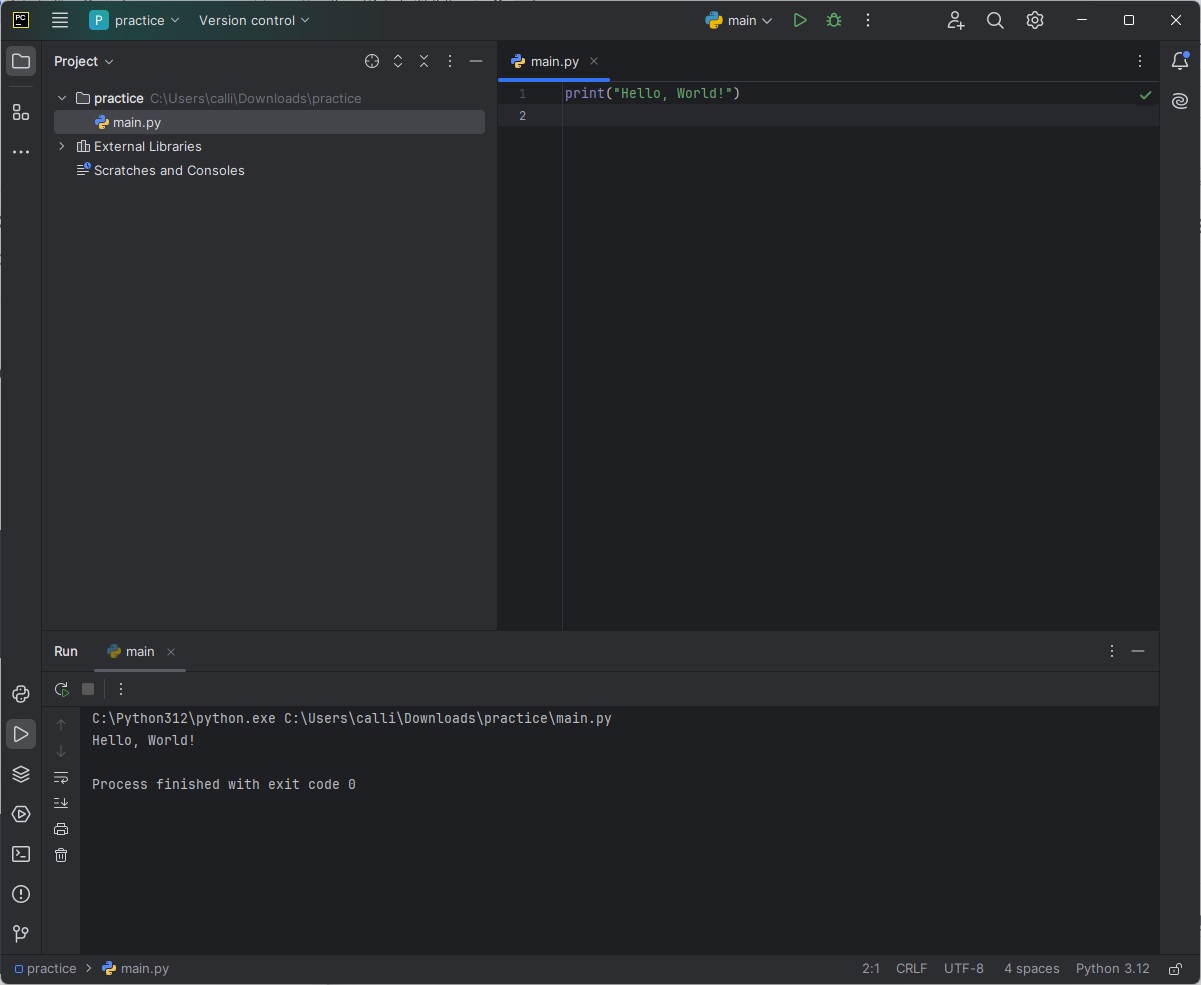
Printing a Statement:
print("Hello, World!")This will output:
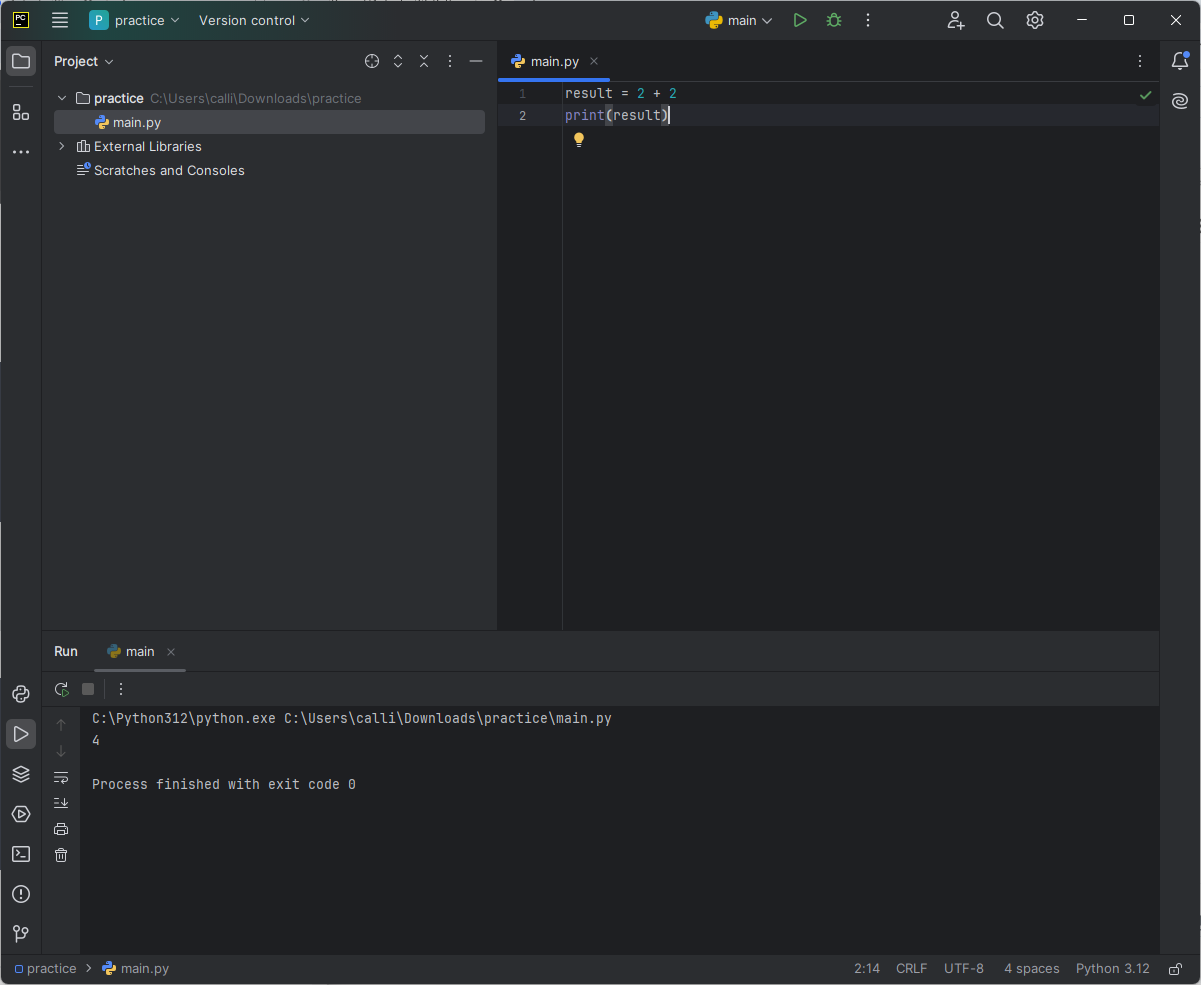
Basic Arithmetic:
 result = 2 + 2
 print(result)
This will output:
Defining Variables and Using Them:
 x = 10
 y = 5
 print(x + y)
This will output:
Control Structures in Python
Control structures in Python allow you to control the flow of execution in your programs. Key structures include:
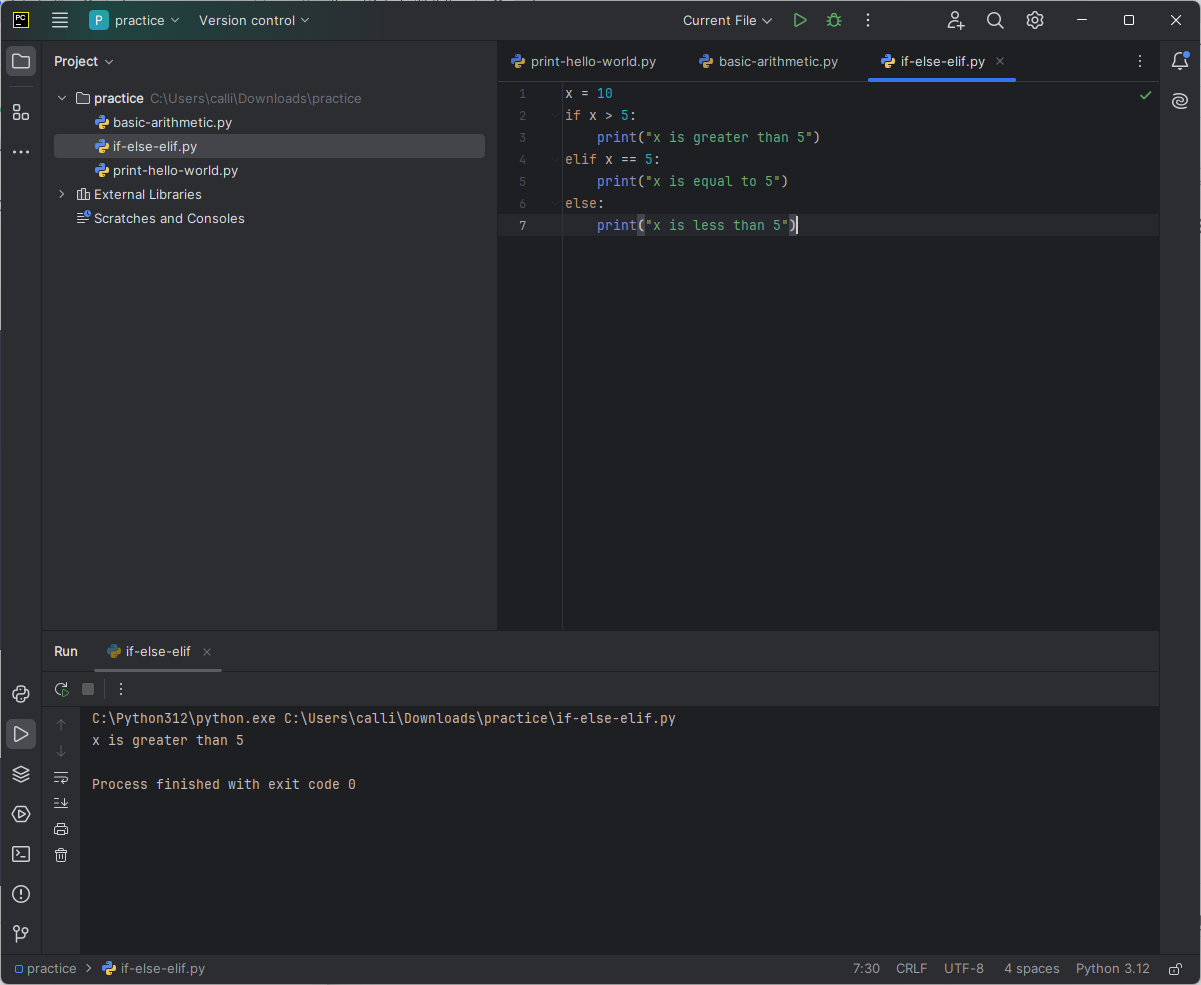
if, else, elif: These conditional statements allow the program to decide which block of code to execute based on certain conditions.
 x = 10
 if x > 5:
     print("x is greater than 5")
 elif x == 5:
     print("x is equal to 5")
 else:
     print("x is less than 5")
Output:
Loop Structures in Python
Loops allow you to repeat a block of code multiple times.
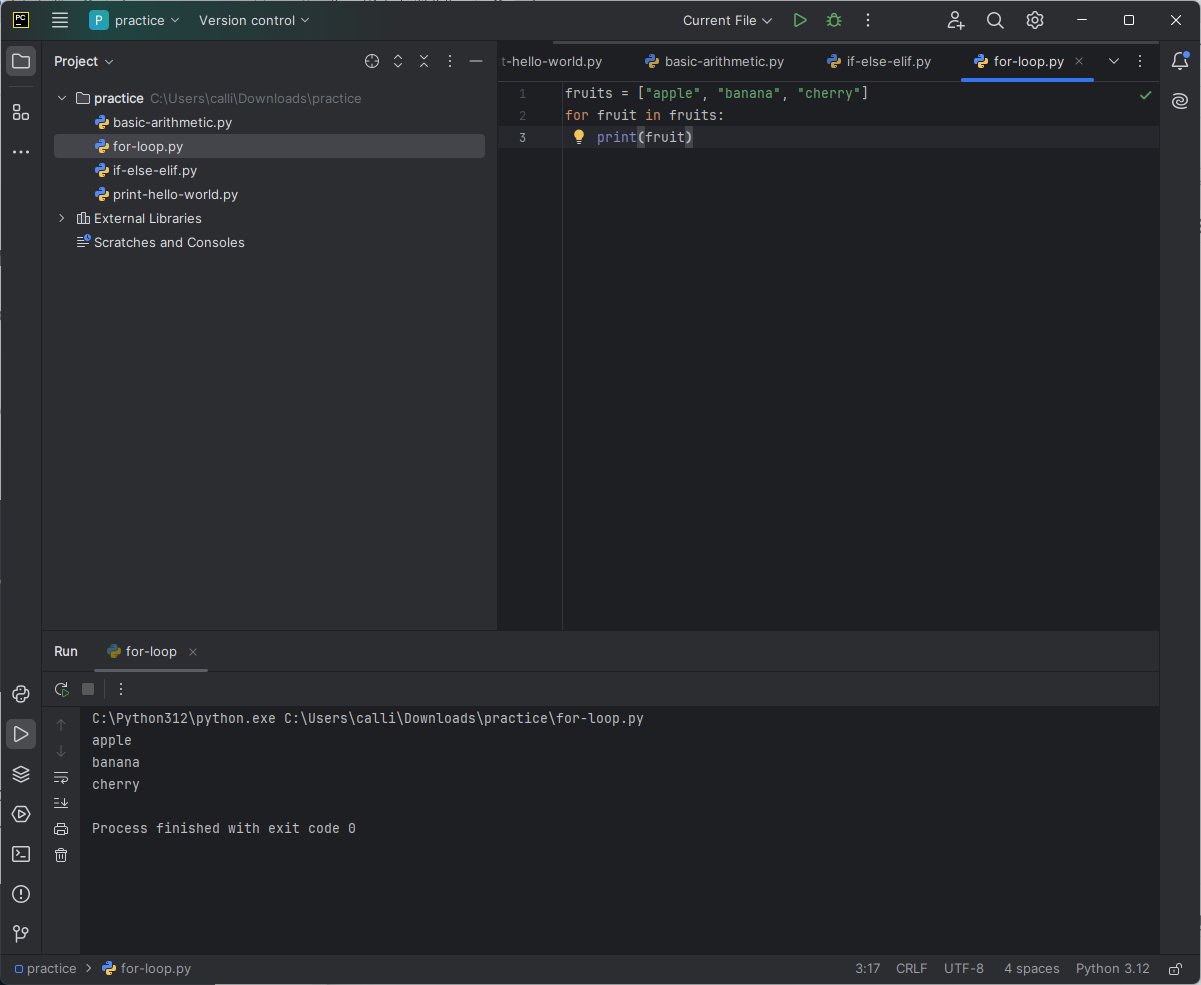
For Loop: A
forloop is used to iterate over a sequence (e.g., list, tuple, string) and execute a block of code for each item.fruits = ["apple", "banana", "cherry"] for fruit in fruits: print(fruit)Output:
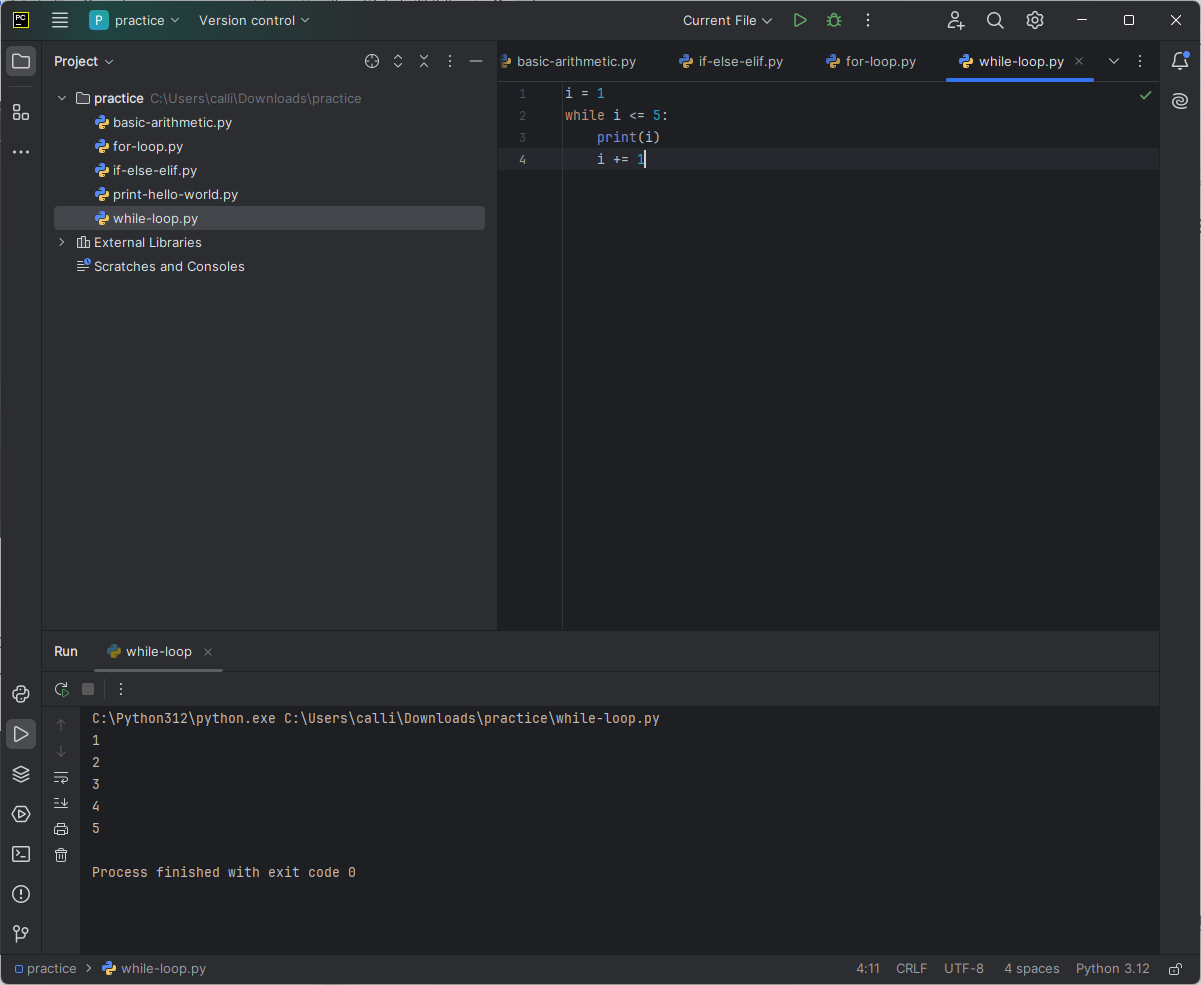
While Loop: A
whileloop repeatedly executes a block of code as long as a condition is true.i = 1 while i <= 5: print(i) i += 1Output:
Github link:https://github.com/JovRoncal/activity_21_python
REFERENCE: