Activity 40: Documentation of Python Flask Cookie
In Python Flask, cookies are small pieces of data that are stored on the client's browser and sent back to the server with each request. Cookies are used for a variety of purposes, including:
Session Management: Storing user session information such as login status, shopping cart items, and user preferences.
Tracking: Identifying users and tracking their actions on a website. This could include analytics, tracking user behavior, etc.
Personalization: Storing user preferences, language settings, and themes.
Importance of Cookies:
User Experience: Cookies enhance the user experience by remembering user preferences, such as themes, language, or login status.
Stateful Web Applications: Web servers are stateless by default, meaning they don't remember previous interactions. Cookies help maintain state by allowing the server to remember information between requests.
Security: Cookies can help in securely authenticating users, keeping them logged in across sessions.
Customization: Websites can customize user experiences based on data stored in cookies.
Types of Cookies:
Session Cookies: These are temporary cookies that are erased when the browser is closed. They are used for temporary information like user sessions.
Persistent Cookies: These remain stored on the user's browser for a set period (defined by the
max-ageorexpiresattribute), even after the browser is closed.Secure Cookies: These are only transmitted over secure HTTPS connections.
HttpOnly Cookies: These cannot be accessed through JavaScript, offering a level of protection against cross-site scripting (XSS) attacks.
Step-by-step Implementation in Flask
Set Up Flask Environment: First, make sure you have Flask installed in your Python environment. If not, you can install it via pip:
pip install Flask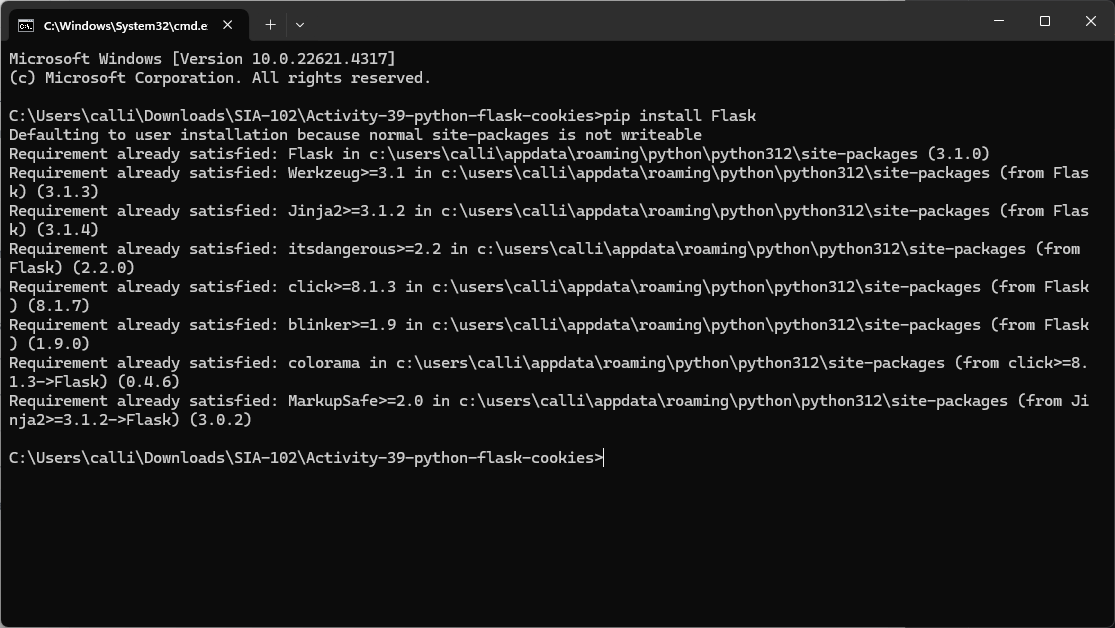
Create the Flask App: Let's start by creating a simple Flask application that has two routes:
A
POSTroute to set a cookie.A
GETroute to get the value of the cookie.
Create
app.py:```python import json from flask import Flask, request, make_response
app = Flask(name)
POST method to set a JSON object as a cookie
@app.route('/setcookies', methods=['POST']) def set_cookie():
Get JSON data from the request body
data = request.get_json() # This expects JSON data in the body
if not data or 'username' not in data: return "Username is required to set the cookie", 400 # Error if no username
Convert the JSON data to a string to store in the cookie
json_data = json.dumps(data) # Convert Python dict to JSON string
Create a response object and set the cookie
resp = make_response(f"Cookie set for {data['username']}") resp.set_cookie('userdata', json_data) # Set the 'userdata' cookie with JSON data
return resp # Return the response with the cookie
GET method to retrieve the JSON data from the cookie
@app.route('/getcookies', methods=['GET']) def get_cookie():
Retrieve the cookie containing the JSON string
json_data = request.cookies.get('userdata')
if json_data:
Convert the JSON string back to a Python dictionary
data = json.loads(json_data) return f"Hello, {data['username']}! Your cookie data is working." else: return "No user data cookie found."
if name == 'main': app.run(debug=True)
### Explanation of Code:

1. **Flask Setup**:

    * We create an instance of the Flask app by calling `Flask(__name__)`.

2. **Setting a Cookie (POST Method)**:

    * The `/setcookies` route listens for a `POST` request. In this route, we extract the `username` from the form data (it could be sent from a web form or API call).

    * If a `username` is provided, we use `make_response()` to create a response object and set a cookie using `resp.set_cookie()`. The cookie is named `username`, and the value is the username provided in the request.

    * The `set_cookie` method accepts other optional parameters like `max_age`, `expires`, `secure`, and `httponly` for cookie customization.

3. **Getting a Cookie (GET Method)**:

    * The `/getcookies` route listens for `GET` requests. We attempt to retrieve the cookie using `request.cookies.get('username')`.

    * If the cookie is found, the server returns a personalized greeting with the value of the cookie. If not, it returns a message indicating that no cookie was found.

4. **Running the App**:

    * Finally, [`app.run`](http://app.run)`(debug=True)` runs the Flask app in debug mode, which is useful for development as it reloads the app on code changes.


---

### How to Test the Application:

1. **Start the Flask App**: Run the Flask app by executing:

    ```python
    python app.py
Setting the Cookie: You can test the
/setcookiesroute by using a tool like Postman or curl.Example using curl:
POST http://127.0.0.1:5000/setcookies{ "username": "Ramon_Jov" }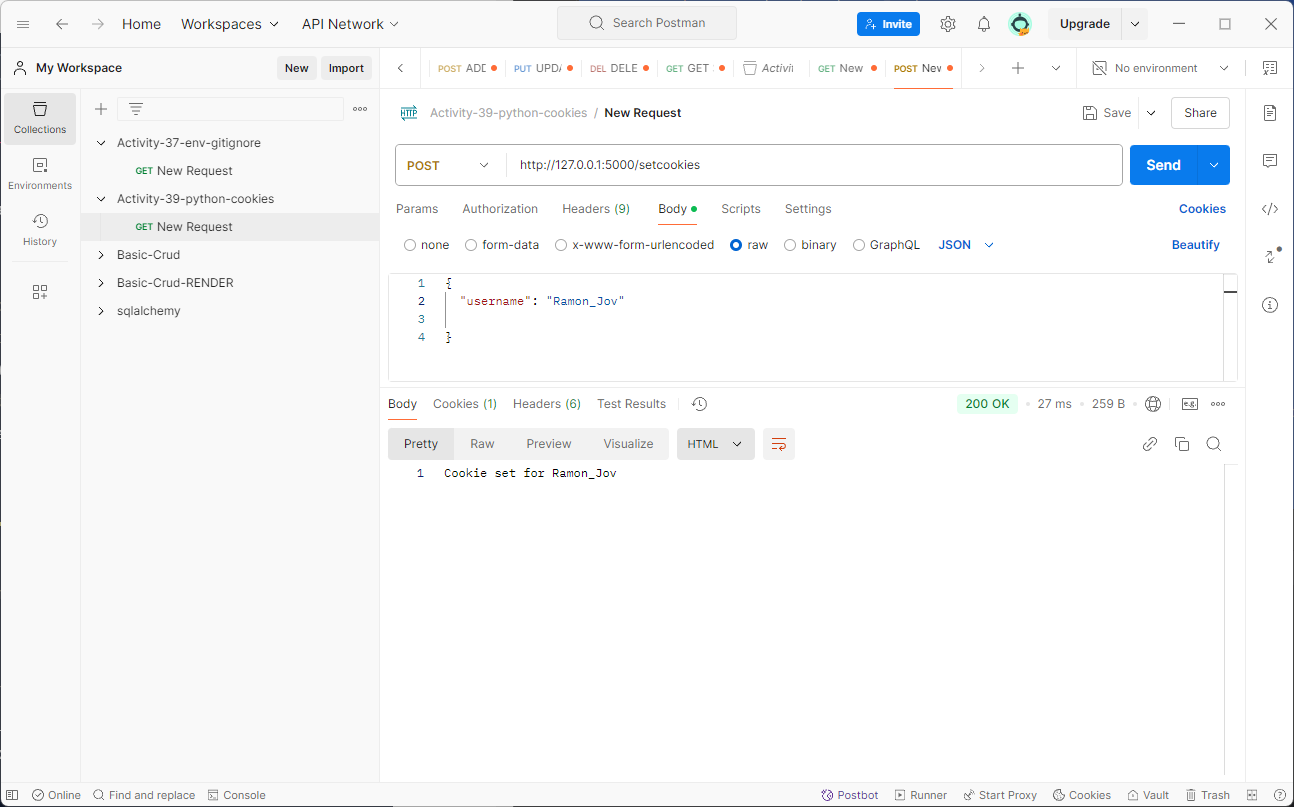
Getting the Cookie: After setting the cookie, use a
GETrequest to retrieve it.Example using curl:
http://127.0.0.1:5000/getcookiesYou should see a response like:
Hello, Ramon_Jov! Your cookie is working.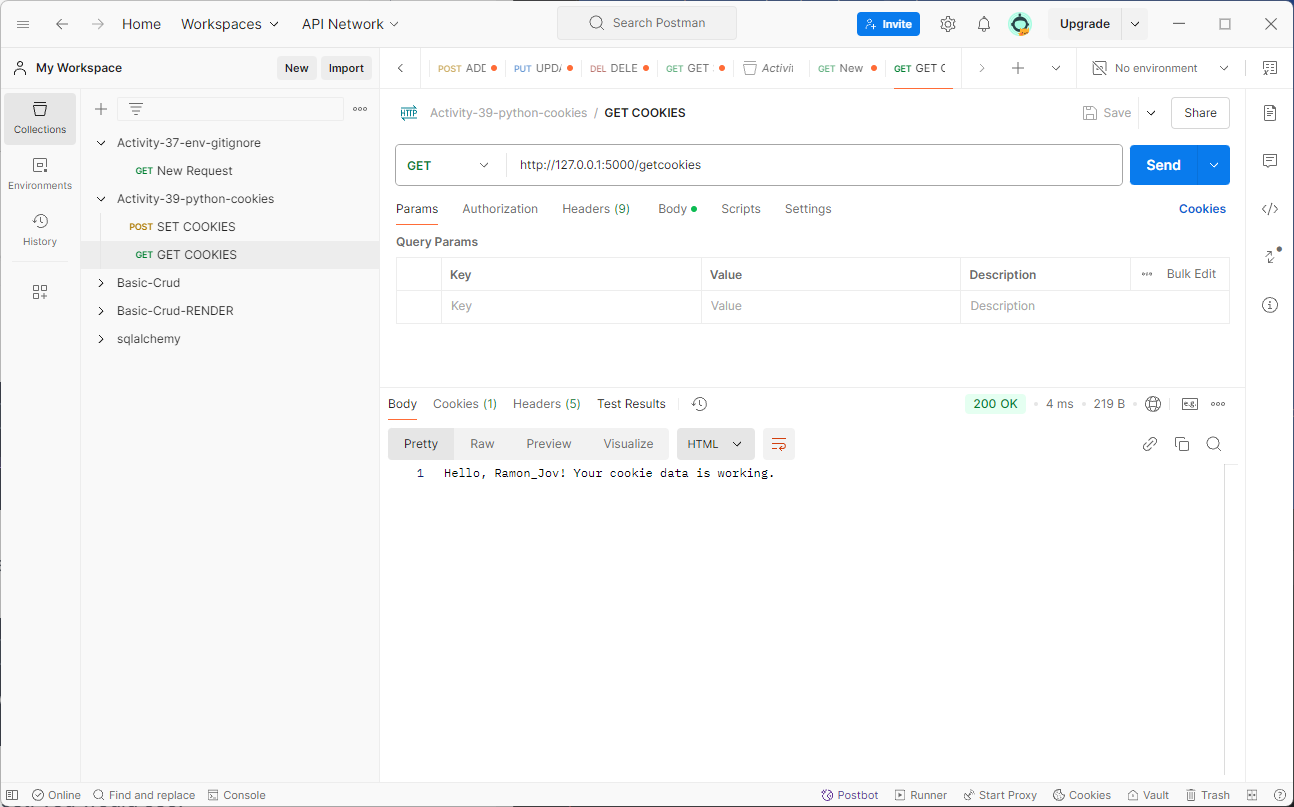
If the cookie is not set, you would see:
No username cookie found.