Activity 48: Documentation of Python SMTP
Understanding SMTP and Its Importance
SMTP (Simple Mail Transfer Protocol) is a communication protocol used to send emails across the internet. It's responsible for the process of transferring emails from the sender's email client to the recipient's mail server or between mail servers. SMTP operates primarily for sending messages, not receiving them (which is done via protocols like POP3 or IMAP).
SMTP is important for several reasons:
Universal standard for email sending: SMTP is the most widely used protocol for email communication. It ensures that emails can be sent from one server to another seamlessly.
Reliability: SMTP is designed to ensure the reliable delivery of emails.
Compatibility: Almost all email clients (Gmail, Outlook, etc.) and servers support SMTP.
Security: Secure versions of SMTP (e.g., SMTPS or SMTP with TLS/SSL) ensure that email data is transferred safely.
Step-by-Step Guide to Set Up Python Flask to Send Emails Using SMTP
Let's walk through the steps to create a simple Flask application that will send an email using SMTP. This application will have a POST route (/send-email) where you can send a message and email address to trigger an email.
1. Install Required Libraries
You need to install Flask (for creating the web application) and Flask-Mail (for handling email sending). You can also use smtplib which is built into Python.
To install the necessary libraries:
pip install Flask Flask-Mail
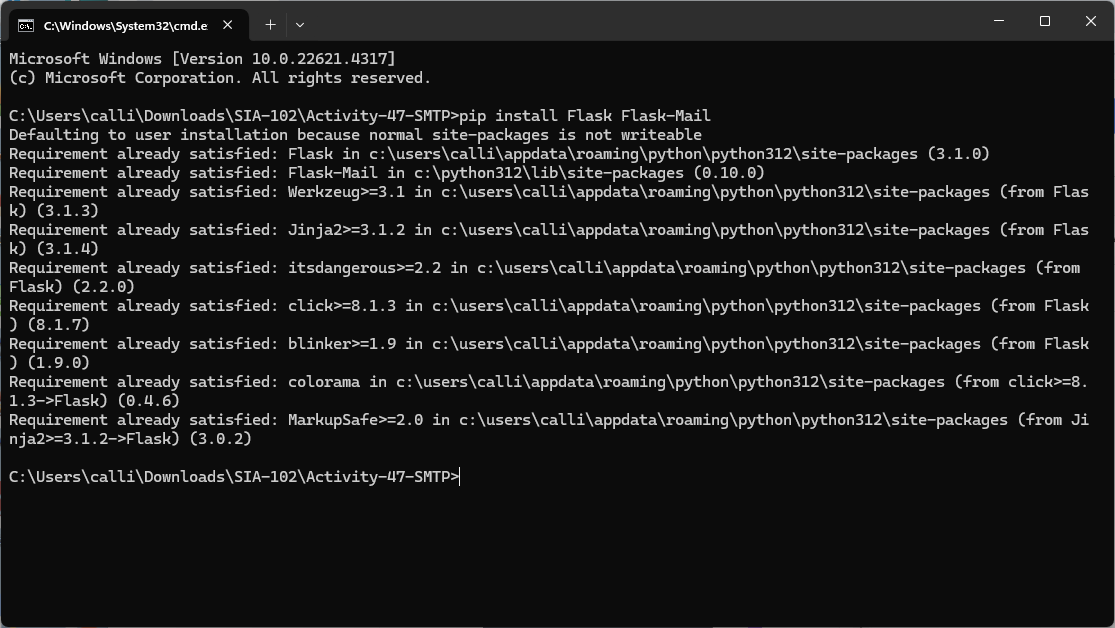
Install
python-dotenv: If you haven't already, you need to install thepython-dotenvpackage:pip install python-dotenv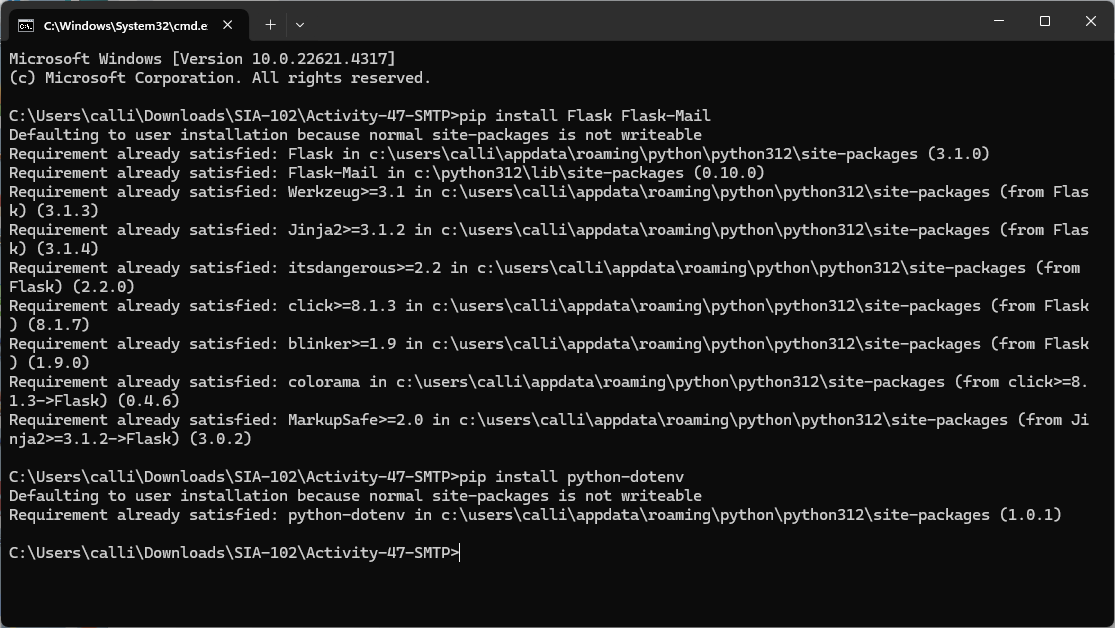
Create a .env file: In the root of your project, create a .env file to store your sensitive information like the SMTP configuration:
MAIL_SERVER=smtp.gmail.com
MAIL_PORT=587
MAIL_USERNAME=your_email@gmail.com
MAIL_PASSWORD=your_password
MAIL_DEFAULT_SENDER=your_email@gmail.com
2. Create the Flask Application
Here is a step-by-step breakdown of the Python Flask application:
app.py
from flask import Flask, request, jsonify
from flask_mail import Mail, Message
import smtplib
import os
from dotenv import load_dotenv

# Load environment variables from the .env file
load_dotenv()

# Initialize Flask application
app = Flask(__name__)

# Configure Flask-Mail (SMTP server settings)
app.config['MAIL_SERVER'] = os.getenv('MAIL_SERVER')  # Load from environment
app.config['MAIL_PORT'] = int(os.getenv('MAIL_PORT', 587))  # Load from environment, default to 587 if not set
app.config['MAIL_USERNAME'] = os.getenv('MAIL_USERNAME')  # Load from environment
app.config['MAIL_PASSWORD'] = os.getenv('MAIL_PASSWORD')  # Load from environment
app.config['MAIL_DEFAULT_SENDER'] = os.getenv('MAIL_DEFAULT_SENDER')  # Load from environment

# Initialize Flask-Mail
mail = Mail(app)

# POST route for sending email
@app.route('/send-email', methods=['POST'])
def send_email():
    # Get message and email from the request JSON
    data = request.get_json()
    message_body = data.get('message')
    recipient_email = data.get('email')

    # Validate input data
    if not message_body or not recipient_email:
        return jsonify({'error': 'Message and email are required.'}), 400

    try:
        # Create the email message
        msg = Message(
            'Subject: Your Flask Email',  # Subject of the email
            recipients=[recipient_email]  # List of recipients
        )
        msg.body = message_body  # The body of the email

        # Send the email
        mail.send(msg)
        return jsonify({'success': True, 'message': 'Email sent successfully!'}), 200
    except smtplib.SMTPException as e:
        return jsonify({'error': f'Failed to send email: {str(e)}'}), 500

if __name__ == '__main__':
    app.run(debug=True)
3. Explanation of Code
Flask Setup:
Flask Application Initialization: A Flask app is initialized to define routes and configurations.
Loading Environment Variables: The
python-dotenvpackage loads environment variables from a.envfile, keeping sensitive information like email credentials secure.SMTP Configuration: The
Flask-Mailextension is configured to use Gmail's SMTP server. Configuration details likeMAIL_SERVER,MAIL_PORT,MAIL_USERNAME,MAIL_PASSWORD, andMAIL_DEFAULT_SENDERare retrieved from environment variables.Mail Object Initialization: The
Mailobject is initialized with the app’s configuration to handle email sending.Route Definition: The
/send-emailroute handles POST requests, expecting a JSON object withmessageandemailfields. It validates the input and returns a400error if fields are missing.Sending the Email: A
Messageobject is created with a static subject, recipient, and body. Themail.send(msg)method sends the email, returning a success message if successful.Error Handling: SMTP errors are caught, and a
500error is returned with details.Security Considerations: Environment variables protect sensitive data, and
.envfiles should be in.gitignore. App-specific passwords are recommended for services with 2-factor authentication.
4. Testing the API
To test this API:
Run the Flask app:
python app.pyUse
curlor Postman to send aPOSTrequest tohttp://127.0.0.1:5000/send-emailwith a JSON body:Example using
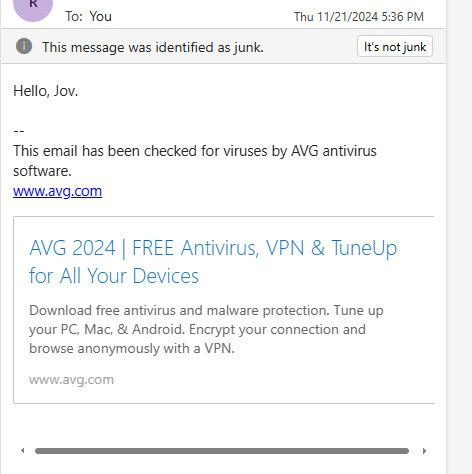
curl:{ "message": "Hello, jov.", "email": "recipient_email@example.com" }If everything is configured correctly, you should get a response like:
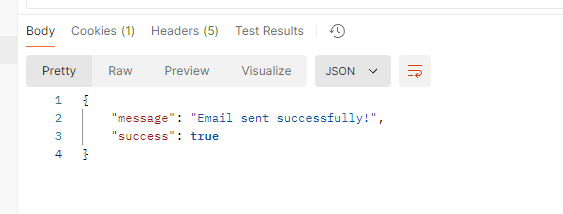
 {
 "success": true,
 "message": "Email sent successfully!"
 }