Activity 35: Documentation of your Basic CRUD API
Step 1: Create a Python Virtual Environment
Create a virtual environment: Use the following command to create a virtual environment named
venv(you can change the name if you like).python -m venv venv
Activate the virtual environment:
On Windows:
venv\Scripts\activate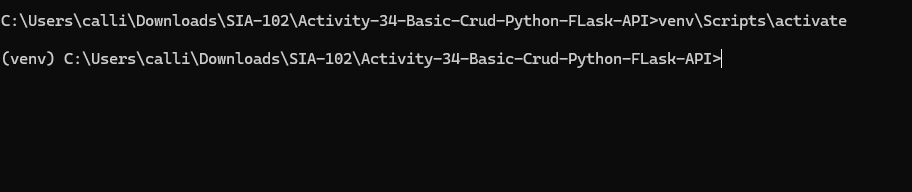
On macOS/Linux:
source venv/bin/activate
Once activated, you should see (venv) before your terminal prompt.
Step 2: Install Flask
Now that the virtual environment is set up and activated, install Flask using pip.
Install Flask:
pip install Flask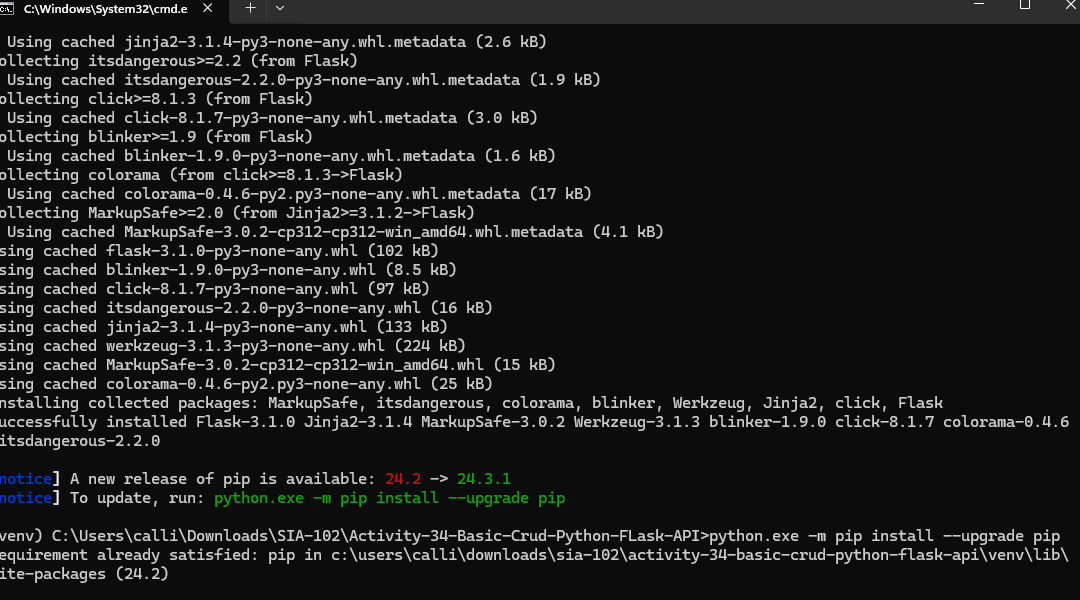
Step 3: Create the app.py File
# Import the Flask library
from flask import Flask, jsonify, request

# Create the Flask app instance
app = Flask(__name__)

# Sample data: list of students
students = [
    {
        "name": "Juan Carlos",
        "section": "BSIT-4B",
        "id": 1,
        "email": "juan@gmail.com",
        "age": 22
    },
    {
        "name": "Jose Rizal",
        "section": "BSIT-2A",
        "id": 2,
        "email": "jose@gmail.com",
        "age": 21
    },
    {
        "name": "Juan Luna",
        "section": "BSIT-3A",
        "id": 3,
        "email": "juan@gmail.com",
        "age": 20
    },
    {
        "name": "Andres Bonifacio",
        "section": "BSIT-3A",
        "id": 4,
        "email": "andres@gmail.com",
        "age": 20
    },
    {
        "name": "Justin Bieber",
        "section": "BSIT-2A",
        "id": 5,
        "email": "justin@gmail.com",
        "age": 21
    },
    {
        "name": "Michael Jordan",
        "section": "BSIT-4A",
        "id": 6,
        "email": "michael@gmail.com",
        "age": 19
    },
    {
        "name": "Andrew Jordan",
        "section": "BSIT-3A",
        "id": 7,
        "email": "andrew@gmail.com",
        "age": 20
    },
    {
        "name": "Jessa Boe",
        "section": "BSIT-2B",
        "id": 8,
        "email": "jessa@gmail.com",
        "age": 18
    },
    {
        "name": "Ted Talk",
        "section": "BSIT-3B",
        "id": 9,
        "email": "ted@gmail.com",
        "age": 19
    }
]

# GET method: Retrieve all students
@app.route('/students', methods=['GET'])
def get_students():
    return jsonify(students)

# GET method: Retrieve a specific student by ID
@app.route('/students/<int:student_id>', methods=['GET'])
def get_student(student_id):
    student = next((student for student in students if student["id"] == student_id), None)
    if student:
        return jsonify(student)
    else:
        return jsonify({"message": "Student not found"}), 404

# POST method: Add a new student
@app.route('/students', methods=['POST'])
def add_student():
    new_student = request.get_json()
    new_student['id'] = max(student['id'] for student in students) + 1  # Generate new ID
    students.append(new_student)
    return jsonify(new_student), 201

# PUT method: Update an existing student
@app.route('/students/<int:student_id>', methods=['PUT'])
def update_student(student_id):
    student = next((student for student in students if student["id"] == student_id), None)
    if student:
        data = request.get_json()
        student.update(data)
        return jsonify(student)
    else:
        return jsonify({"message": "Student not found"}), 404

# DELETE method: Remove a student by ID
@app.route('/students/<int:student_id>', methods=['DELETE'])
def delete_student(student_id):
    student = next((student for student in students if student["id"] == student_id), None)
    if student:
        students.remove(student)
        return jsonify({"message": "Student deleted"})
    else:
        return jsonify({"message": "Student not found"}), 404

# Run the Flask app
if __name__ == '__main__':
    app.run(debug=True)
Step 4: Run the Flask Server
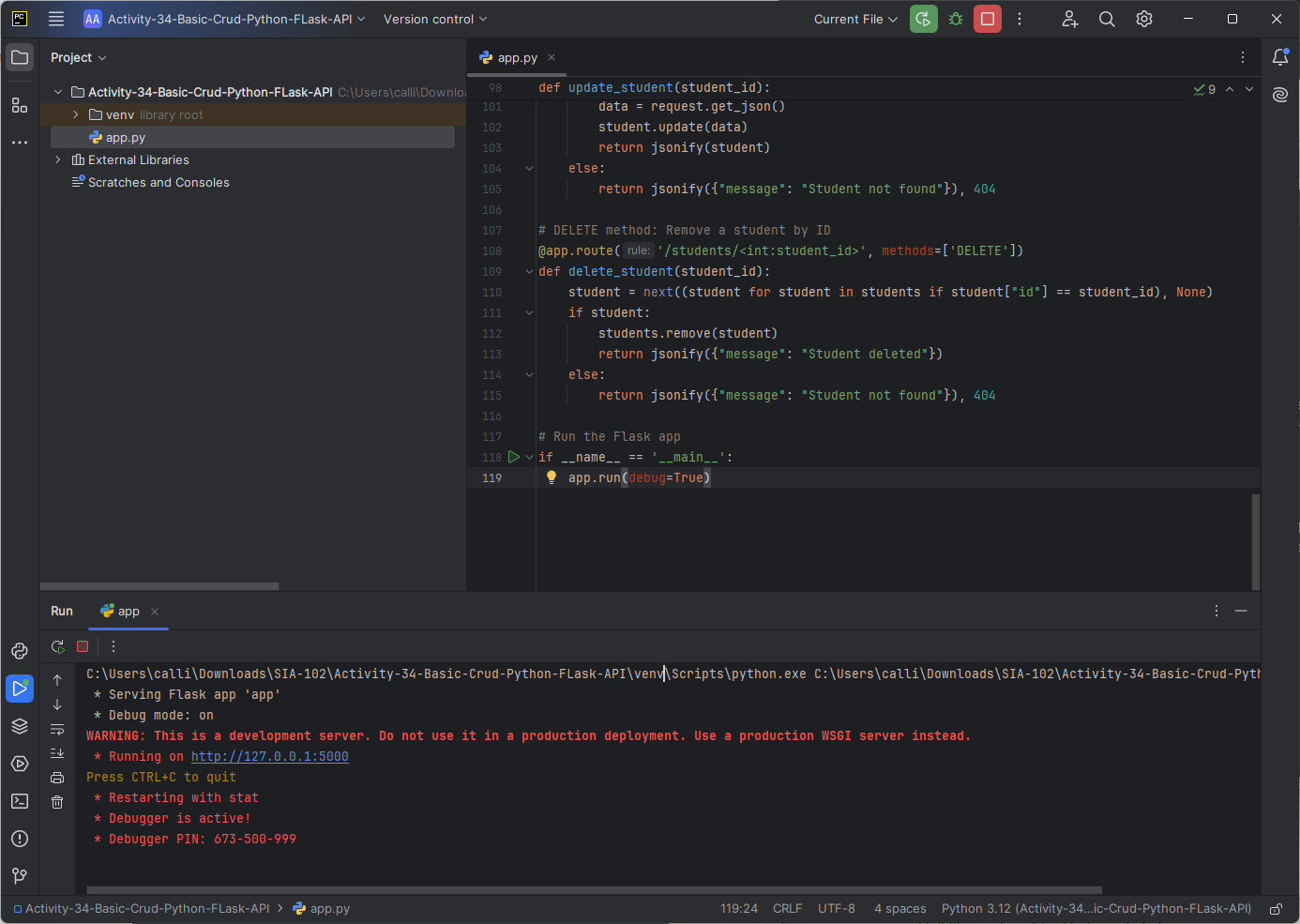
Start the Flask server: In the terminal, ensure you're in the project directory and run the following command:
python app.pyThis will start the Flask development server at
http://127.0.0.1:5000/.
Step 5: Test the API Using Postman
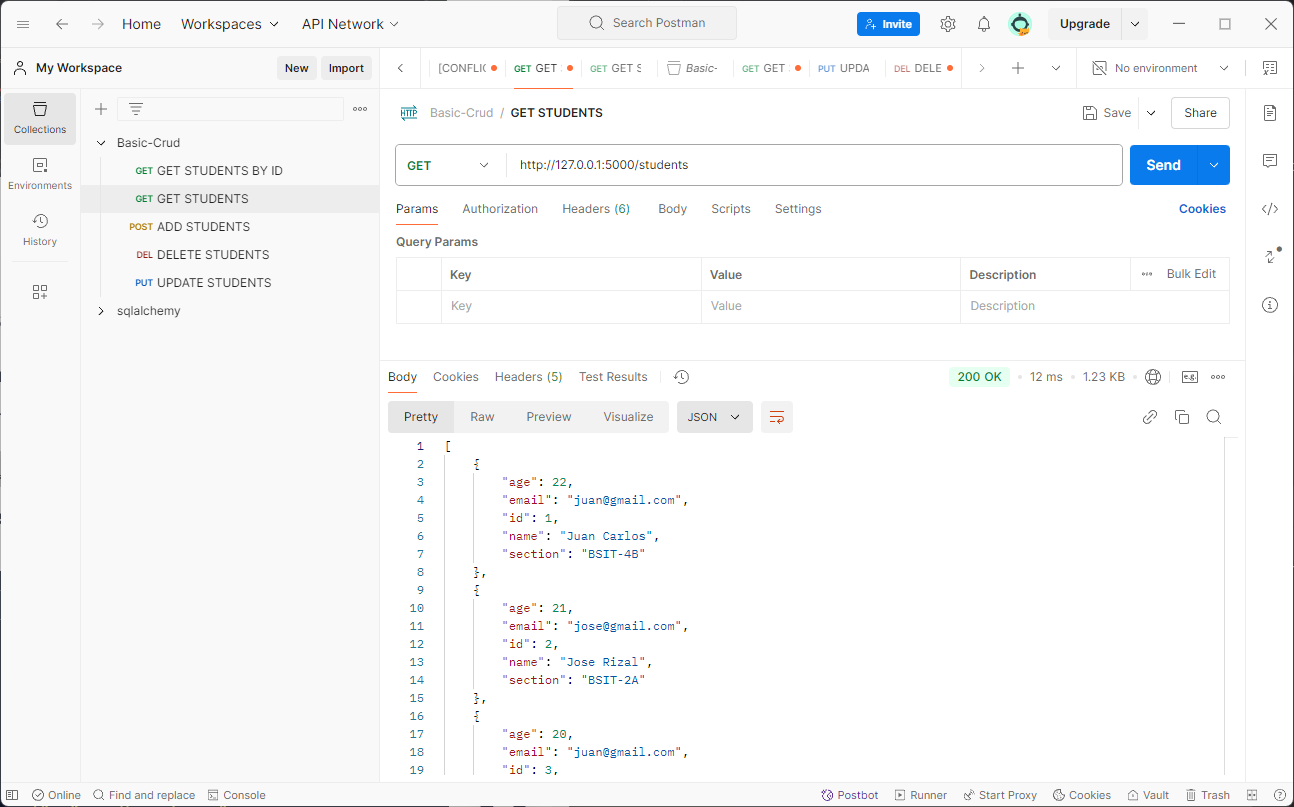
1. GET All Students
Method: GET
Expected Response:
  [
      {
          "id": 1,
          "name": "Juan Carlos",
          "section": "BSIT-4B",
          "email": "juan@gmail.com",
          "age": 22
      },
      ...
  ]
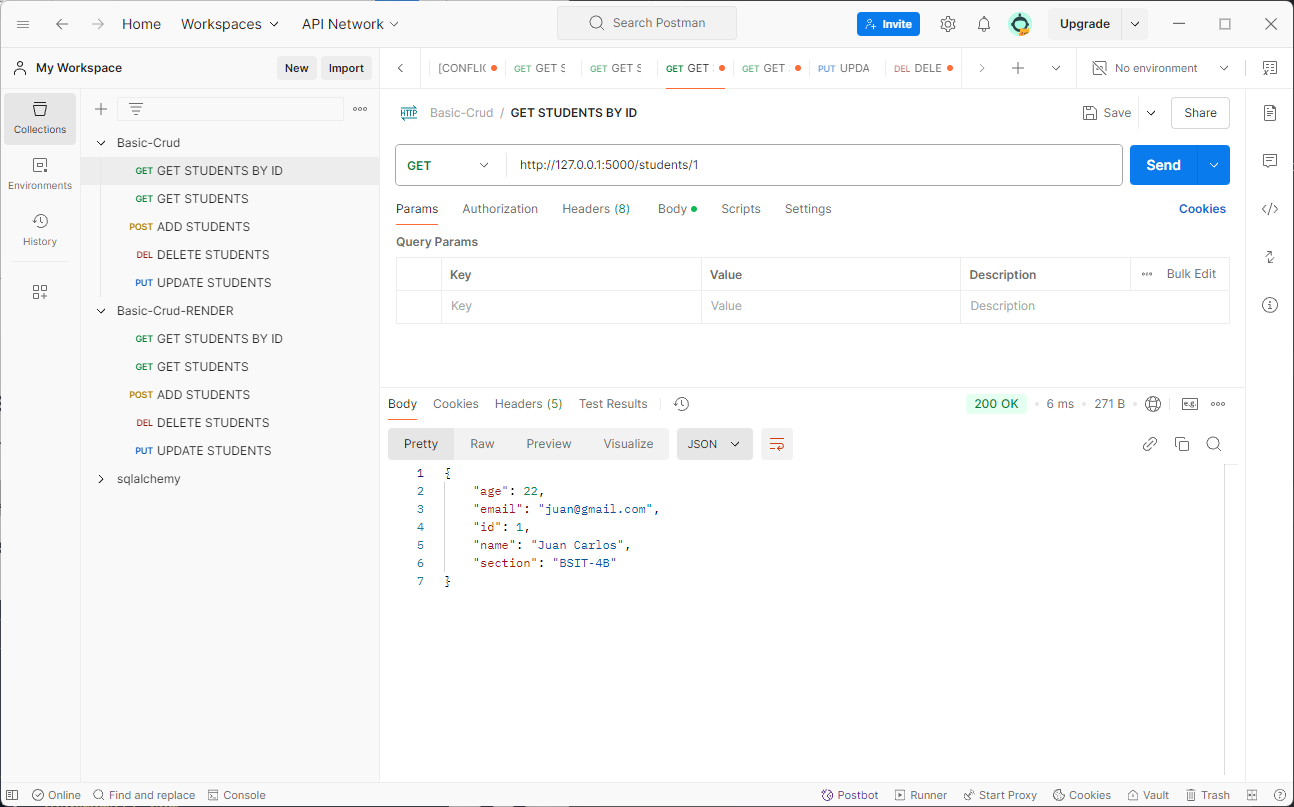
2. GET Specific Student by ID
Method: GET
Expected Response:
  {
      "id": 1,
      "name": "Juan Carlos",
      "section": "BSIT-4B",
      "email": "juan@gmail.com",
      "age": 22
  }
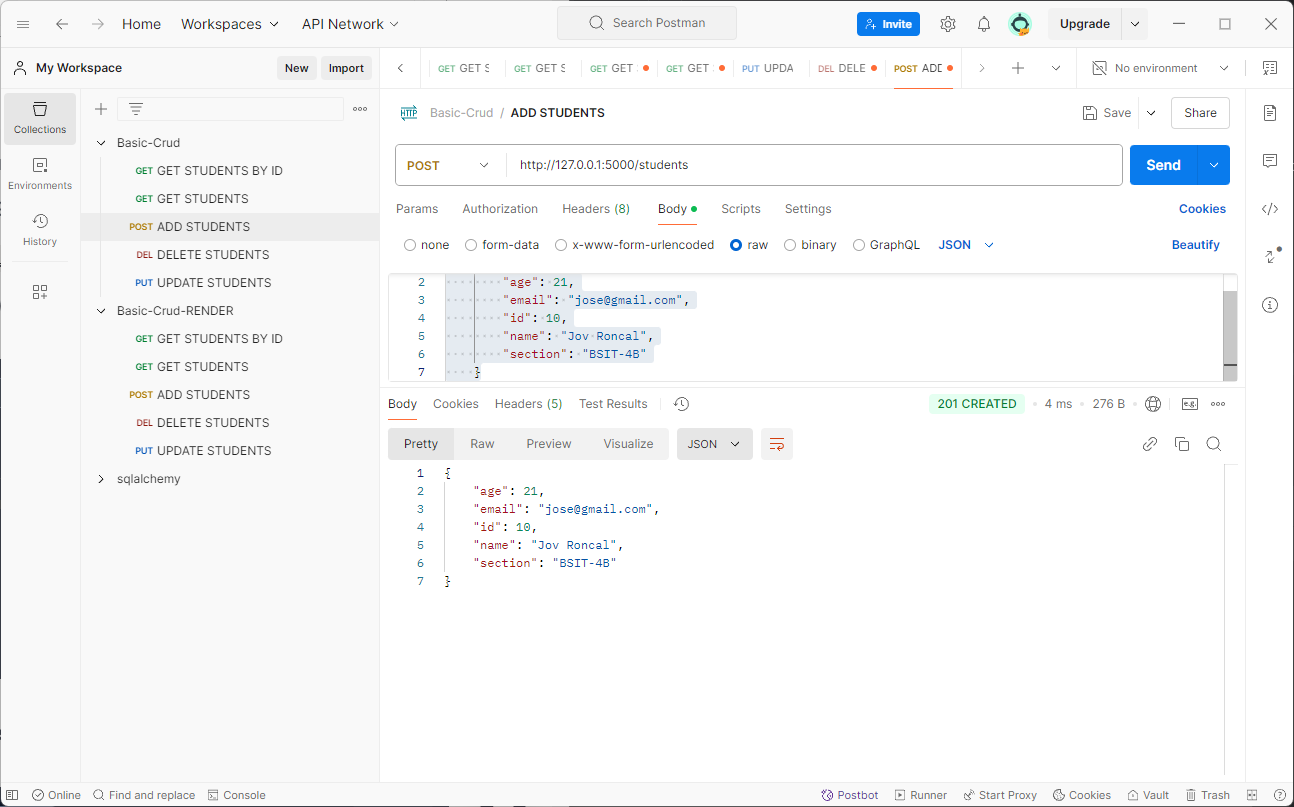
3. POST New Student
Method: POST
Body (JSON):
   {
          "age": 21,
          "email": "jose@gmail.com",
          "id": 10,
          "name": "Jov Roncal",
          "section": "BSIT-4B"
      }
Expected Response:
   {
          "age": 21,
          "email": "jose@gmail.com",
          "id": 10,
          "name": "Jov Roncal",
          "section": "BSIT-4B"
      }
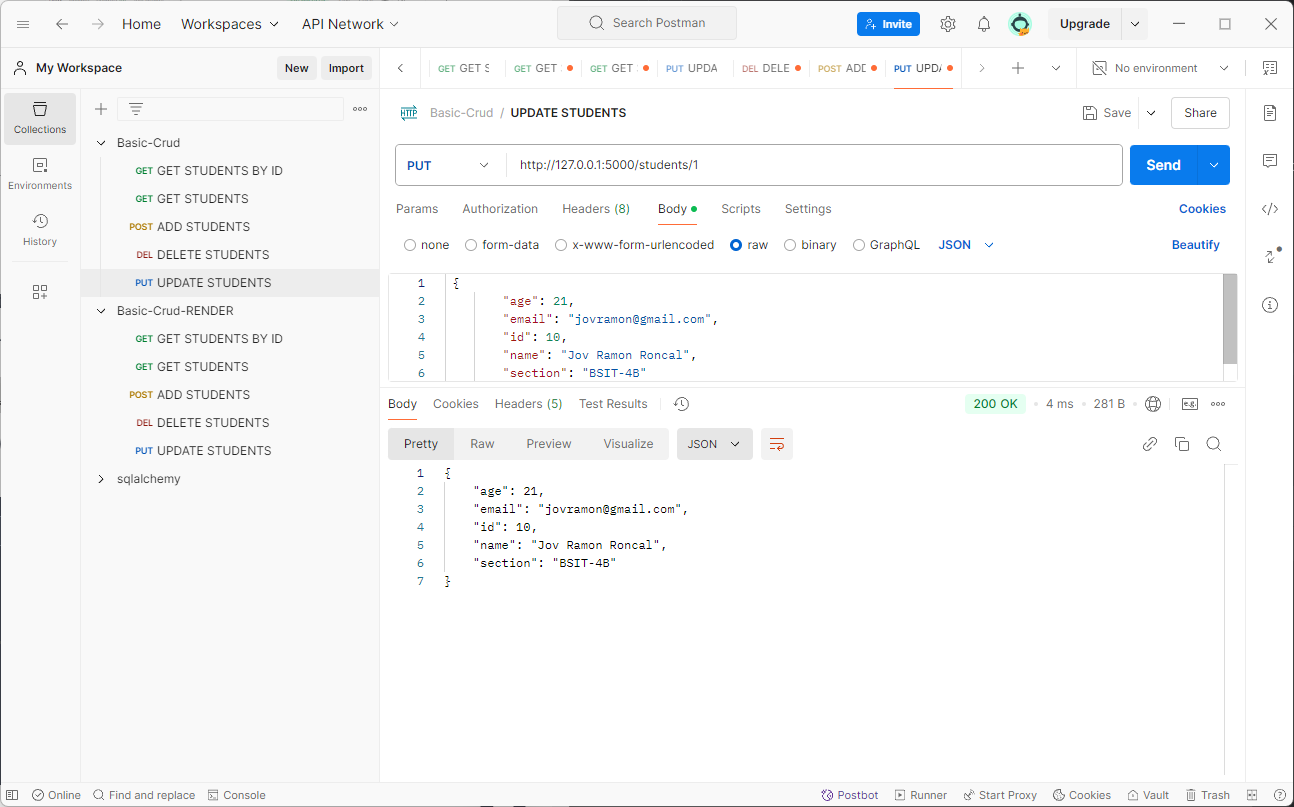
4. PUT Update Student
Method: PUT
Body (JSON):
  {
          "age": 21,
          "email": "jovramon@gmail.com",
          "id": 10,
          "name": "Jov Ramon Roncal",
          "section": "BSIT-4B"
      }
Expected Response:
  {
          "age": 21,
          "email": "jovramon@gmail.com",
          "id": 10,
          "name": "Jov Ramon Roncal",
          "section": "BSIT-4B"
      }
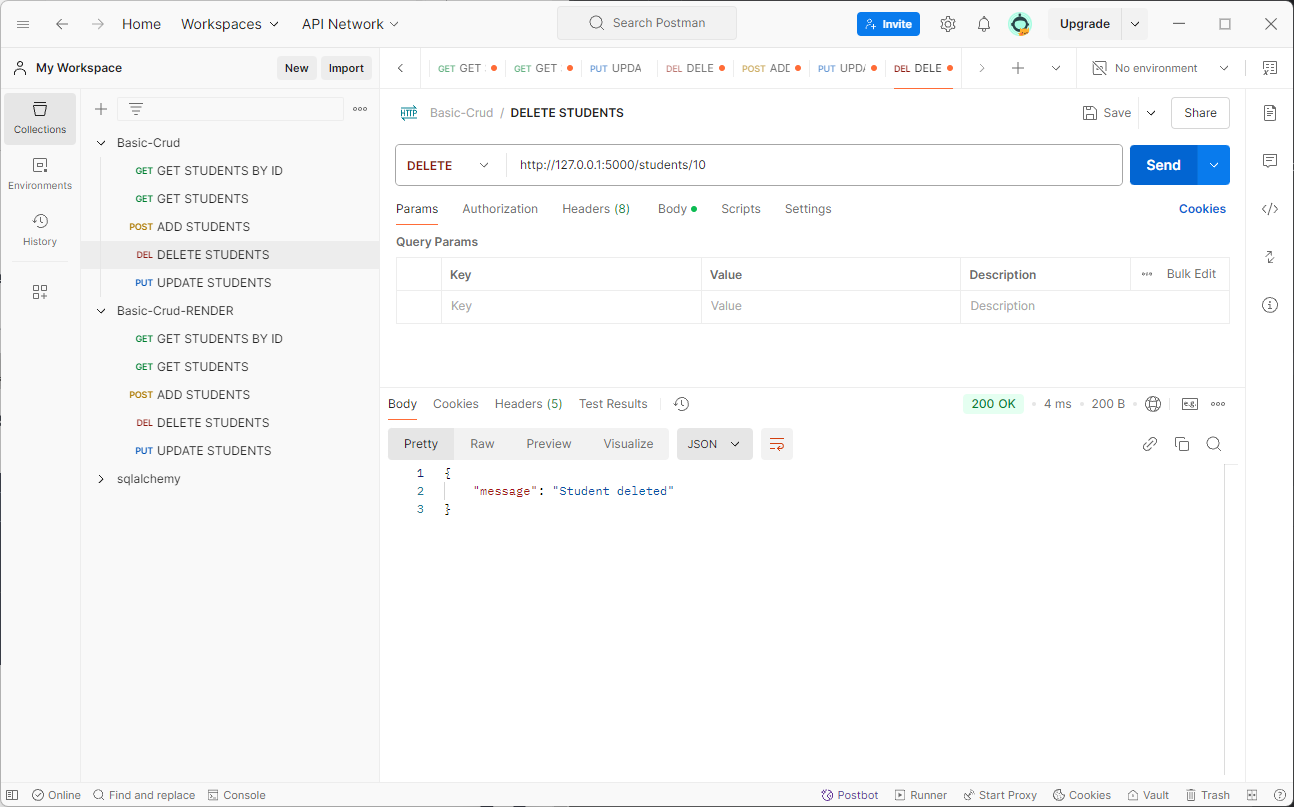
5. DELETE Student by ID
Method: DELETE
Expected Response:
  {
      "message": "Student deleted"
  }